
Real estate videos are a useful way to show houses, apartments, and commercial properties to potential buyers. Many agents use videos to give people a better idea of a property’s rooms, layout, and features before arranging a visit.
Good visuals are important, but clear audio also makes a difference. If an agent is explaining the property and the voice is difficult to hear, viewers may miss useful information. Background noise from traffic, fans, or nearby construction can also affect the quality of the video.
Here are some simple ways to make real estate videos sound clearer.
Why Clear Audio Matters in Property Videos
When people watch a property tour, they want to understand what makes the property special. They may be interested in the room sizes, available facilities, nearby locations, or other details.
If the agent’s voice is covered by background noise, viewers may not understand the explanation properly. Clear audio makes the tour easier to follow and helps present the property in a better way.
It also makes the video feel more organized, even if it was recorded using a basic camera or smartphone.
1. Choose the Right Time to Record
The environment can affect your audio more than you might expect. Traffic outside the property, construction work, and people talking nearby can all create unwanted sounds.
If possible, record when the surroundings are quieter. Close the windows to reduce outside noise, and turn off fans or air conditioners when they are not needed.
Before filming, walk through the property and listen for any sounds that might affect the recording. This small step can help you avoid problems later.
2. Use a Suitable Microphone
A clear microphone can help capture your voice while you explain different parts of the property. You can start with a smartphone microphone, but an external microphone may provide better results.
If you are walking through different rooms, a wireless microphone can be useful because it allows you to move around while speaking.
Keep the microphone at a suitable distance and avoid rubbing it against your clothes. Make a short test recording before starting the full property tour.
3. Reduce Background Noise
Even in a quiet property, you may hear unwanted sounds from ventilation systems, nearby roads, or other activities. These sounds can become distracting when you are explaining important features.
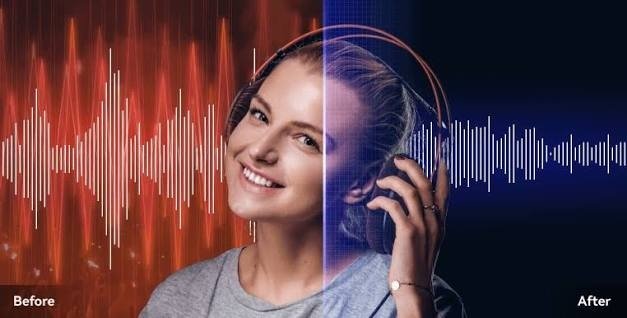
If your recording already contains background noise, an audio cleanup tool such as Noise Remover can help reduce unwanted sounds and make speech clearer.
This can be useful when you cannot record the property again. However, the result depends on the original audio, so always listen to the edited version before publishing it.
4. Speak Clearly During the Tour
When showing a property, explain each area in a simple and natural way. You do not need to speak like a professional presenter. Just make sure your words are clear and easy to understand.
Try not to speak too quickly while moving between rooms. If you are describing several features, pause briefly between points so viewers can follow your explanation.
You can also record a voiceover after filming. This is a good option when the property is near a busy road or has too much background noise.
5. Keep Music at a Suitable Level
Some real estate videos use background music to make the property tour more attractive. Music can work well when showing empty rooms, gardens, or other visual features.
However, it should not cover the agent’s voice. Keep the music low whenever you are explaining the property, and adjust the volume during editing.
A simple balance between music and speech can make the video more comfortable to watch.
6. Check the Audio Before Uploading
Before sharing the property video online, watch it from beginning to end. Check whether the voice is clear in every room and whether any sudden sounds are distracting.
Listen with headphones and then play the video through your phone speakers. This can help you notice audio problems that might otherwise go unnoticed.
If a section is too noisy, you can reduce the background sound, record the explanation again, or remove that section if it is not important.
Conclusion
Clear audio can make real estate videos more useful for potential buyers and renters. It helps viewers understand the property details without struggling to hear the agent.
You can improve your recordings by choosing a quieter time, using a suitable microphone, speaking clearly, and reducing unwanted background noise during editing.
You do not need expensive equipment to get started. With a little preparation and some simple editing, you can create property videos that sound clearer and provide a better viewing experience.