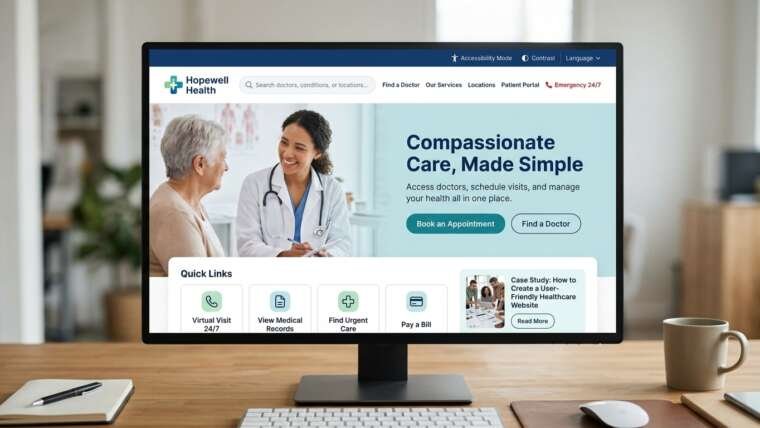

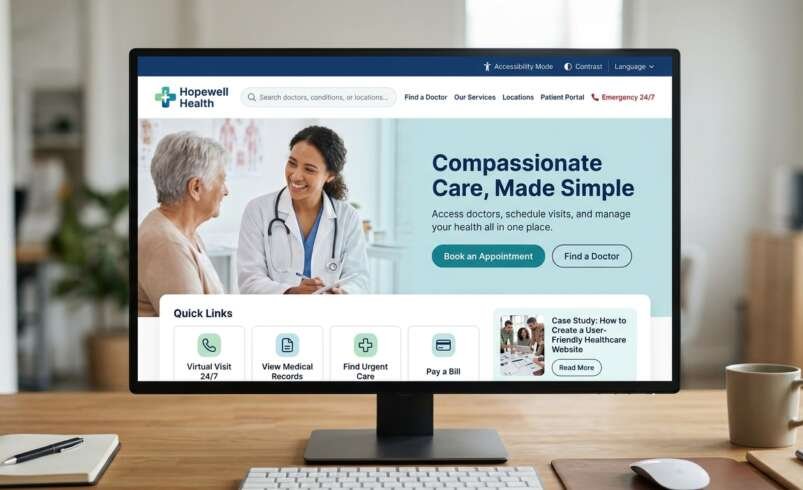

Patients will be looking for information about symptoms, or to find care for parents or doctors before work. Adding confusing menus and hiding contact details causes additional stress. The focus should be on a healthcare website development that supports patients with finding good information, feeling safe and taking action.
1. Know your patients
Before you think about colours and coding, know who your audience is. They may be looking for clinic hours, a portal or a specific specialist. Talk to your patients, clinicians and receptionists to start designing a great healthcare website. List what they will need:
- Finding a doctor based on their specialty, location, language & availability
- Understanding what services are provided, costs, insurance & hours
- Booking, changing or cancelling appointments
- Getting directions, parking information & contacting
- Quickly finding emergency or urgent advice
Simplicity is key. Use language that everyone can understand. Avoid jargon and ensure everything is clear. The patient should feel confident using the website. For example, a doctor profile should help the user understand if they could be the right doctor for them and how to make an appointment. Location pages should be easy to understand so they know how to get there. This is where your healthcare website design and development helps improve the service by providing them with information that leads them to take action.
2. Easy navigation & helpful pages
Use an easy menu with options such as Find a Doctor, Services, Locations & Appointments. Ensure your contact number is easy to find and booking is clear. Every service should be easy to understand. Tell them what the service is, who provides it, what to do to prepare and what happens next. Add bios for clinicians to show their qualifications (verified) and languages. When developing a clinic website ensure the locations are accurate. Include maps and hours. Tell them what they need to be referred by, what to bring, how long the appointment will be and who to contact.
3. Easy to use on mobile
Many people will look for care on their mobile. Ensure your website is mobile friendly. Use responsive design, easy to read text, high contrast and large buttons. Avoid small buttons, pop ups and difficult to read PDFs. Ensure they can make a call, get directions and book on different screen sizes. A well thought out hospital website will focus on these actions. Optimise images, keep scripts low and keep an eye on load speed.
4. Make it accessible
Ensure your information is accessible for people of different abilities and devices. Follow WCAG 2.2 guidelines and test using assistive technologies. The W3C has defined requirements that can be tested. Use clear headings and descriptive links. Ensure it can be navigated using a keyboard, focus is apparent and there are captions and alt text. Avoid using just colour. Clearly label your fields and errors. These tips will help many people, not just those with disabilities. Some accessibility issues can be picked up using an automated tool however it’s important to test with real users. Ensure you include people who use screen readers, keyboard only and zoom in your usability tests. Fix any issues before launch and re-test when major features change.
5. Keep patients private
Only ask for the necessary personal information. Tell them why you need it. Avoid asking them for sensitive information using standard forms. Use HTTPS, restrict access, keep updated, back up and have an incident plan. Basic security:
- HTTPS to keep information safe
- Restrict access to patient information
- Keep your website, plugins and security updated
- Back up regularly & have an incident plan
- Consider 3rd party tools
Depending on your location there will be different privacy rules. In the USA if you are using tracking tools that can access or disclose protected health information in regulated organisations you may be under HIPAA. The HHS warns that some tools may share appointment details or identifiers with third parties. Just having a privacy notice won’t mean they can share everything. Consider what information your analytics, chat, booking and advertising tools are collecting. Ask for a qualified review. When developing a medical website you should consider privacy from the start.
6. Booking & Patient Portal
Only ask for the required information. Let them see the available times. Confirm date, location & cancellation. Provide a contact option. The patient portal should be easy to find results, manage appointments and contact their care team. Clearly explain how to log in. Ensure the portal has secure login and sensible time outs. Don’t imply the website can diagnose emergencies. Make local emergency information stand out.
Have a plan in place for content ownership. Decide who will check doctor availability, service descriptions, contact, costs & holiday hours. What dates will they check? Make it easy for staff to report any errors. Out of date information can mean they go to the wrong location or miss their appointment. When developing your Healthcare Website you should have a process in place to ensure key information is kept up to date.
7. Helpful content
Get clinicians to review your service information. Show their credentials & when they reviewed it. Be fair with risk information. Don’t promise or overstate treatments. Use this to create helpful healthcare content:
- Use simple language to describe common medical procedures
- Tell them what to do to prepare
- Include FAQ’s based on common questions
- Show medical credentials
- Show when content was reviewed
- Link to related services & helpful resources
Ask real questions. For example ‘How to prepare for an ultrasound’. Use descriptive headings, helpful internal links & correct structured data. A Healthcare UX will be improved by making information easy to scan.
If a parent is trying to book a paediatrics appointment at lunchtime they will want to know the age restrictions, availability, cost, location & how to book. Making this information easy to understand will reduce uncertainty.
8. Track, learn & improve
Track how much they are completing, abandoning bookings, asking the same questions & using the contact page. Use privacy aware analytics. Ask for feedback from patients & staff. Look at how they are getting support, if it is accessible, broken links & performance. Fix any broken booking forms before small animations. A great Healthcare web design process will always look to improve.
Before launch, walk through the website as different people. A new patient, an elderly person, a carer & someone using assistive tech. Try using a slow internet connection & keyboard only. Check all the form confirmations & errors. Note any issues & who owns them. Once fixed, re-test. This will give you an idea of quality. Your healthcare website development will be focused on real patient needs.
Final thoughts: Make every visit easier
The best healthcare website development will make patients feel informed and confident. Ensure key tasks are easy to complete on mobile, use simple language, keep personal information safe & test it is accessible.
Top tip: Get someone who doesn’t know your organisation to try and find a doctor, find the clinic and book an appointment with no assistance. See where they struggle and fix any issues. Small changes will increase trust. If they can find support easily then your technology is doing a great job!
Need a Professional Healthcare Website? Let’s Build It With The Custom Websites
Looking for a reliable team to build a professional healthcare website? Choose experienced developers who understand patient experience, website security, accessibility, and performance. Explore The Custom Website’s Clutch profile to learn more about our services and commitment to delivering user-friendly digital solutions for healthcare businesses.