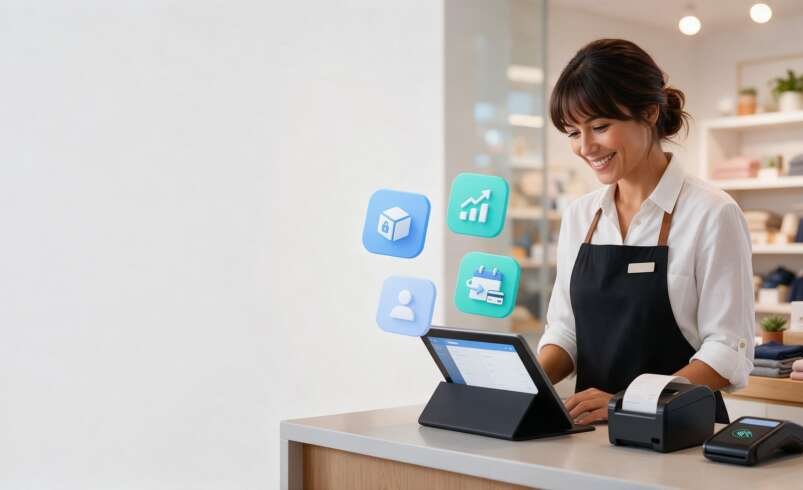

Running a retail business involves much more than accepting payments at the checkout counter. Store owners need to track inventory, manage employees, understand customer preferences, reduce billing mistakes, and keep daily sales records organized. When these tasks are handled manually or through disconnected software, operations can quickly become slow, inaccurate, and difficult to manage.
A modern retail POS system helps solve these challenges by bringing essential business activities into one connected platform. It can process in-store payments, maintain real-time inventory records, generate sales reports, manage customer information, and support different payment methods. For businesses that offer memberships, subscription boxes, service plans, loyalty programs, or repeat deliveries, automated recurring billing can add even more value.
This article explains how a retail point-of-sale solution works, the problems it can solve, and why recurring payment automation is becoming an important feature for modern retailers.
What Is a Retail POS System?
A retail POS system, or point-of-sale system, is the technology a business uses to complete customer transactions. Traditionally, a POS terminal was mainly used to calculate totals and accept cash or card payments. Today, POS software is a complete retail management tool.
A typical retail POS setup may include:
-
A touchscreen register, tablet, or computer
-
Barcode scanner
-
Receipt printer
-
Cash drawer
-
Card payment terminal
-
POS software dashboard
-
Inventory management tools
-
Customer relationship management features
-
Sales and reporting analytics
When a customer buys an item, the system records the transaction, updates stock levels, applies applicable taxes or discounts, and stores the sale data. This gives retailers a clearer picture of what is selling, what needs to be reordered, and how the business is performing.
The Main Problems Retailers Face Without the Right POS Software
Many small and growing retailers rely on manual tracking, spreadsheets, basic card readers, or separate tools for accounting and inventory. These methods may work for a limited time, but they often create avoidable problems as transaction volume increases.
Inventory Errors and Stockouts
One of the biggest retail challenges is maintaining accurate stock levels. If employees manually count items or update inventory after every sale, mistakes can happen easily. A retailer may believe a product is available when it is actually sold out, or they may order too much of an item that is not moving.
A retail POS system automatically adjusts inventory after each transaction. This makes it easier to identify low-stock products, monitor bestsellers, and make better purchasing decisions.
Slow Checkout Experiences
Long lines can damage the customer experience, especially during busy hours, holidays, or promotional events. Customers expect quick, convenient payment options, including credit cards, debit cards, contactless wallets, gift cards, and digital payments.
Modern POS technology speeds up checkout by scanning products quickly, applying discounts automatically, and processing secure payments in one place. Faster service can help a store serve more customers while reducing frustration at the counter.
Limited Visibility Into Sales Performance
Without reliable reporting, store owners may make decisions based on assumptions rather than actual sales data. It can be difficult to know which products generate the most revenue, which employees process the most transactions, or which time of day attracts the highest customer traffic.
POS reporting tools organize this information into useful dashboards. Retailers can review daily sales, average order value, profit margins, returns, product performance, payment types, and customer buying patterns.
Difficulty Managing Repeat Payments
Retail is no longer limited to one-time purchases. Many businesses now sell subscription boxes, refill products, monthly memberships, service bundles, rental plans, warranty programs, and loyalty subscriptions. Handling repeated payments manually can take time and increase the risk of missed invoices.
This is where automated recurring billing becomes especially useful.
How Automated Recurring Billing Supports Retail Growth
Automated recurring billing is a payment process that charges customers automatically at scheduled intervals. For example, a customer may be billed weekly, monthly, quarterly, or annually based on the plan they select.
This feature is particularly valuable for retailers with recurring revenue models. Instead of sending invoices and following up on every payment, the billing system processes approved charges automatically based on the customer’s authorization.
Common retail use cases include:
-
Monthly product subscription boxes
-
Coffee, beauty, wellness, or pet supply refill plans
-
Store membership programs
-
Premium loyalty memberships
-
Equipment rental plans
-
Service packages and maintenance plans
-
Auto-delivery programs for household essentials
-
Buy-now, pay-over-time retail arrangements
For example, a specialty food store could offer a monthly gourmet snack box. Customers choose a plan, securely save their preferred payment method, and receive a curated box every month. The retailer benefits from predictable revenue, while customers enjoy convenience and do not need to place the same order repeatedly.
Key Benefits of Integrating Recurring Billing With POS Software
When recurring payments are managed separately from in-store sales, customer records and financial data can become fragmented. Integrating billing capabilities with a retail POS system creates a more complete operational view.
More Predictable Revenue
One-time sales can fluctuate based on seasons, promotions, weather, and customer demand. Recurring billing gives retailers a steadier revenue stream. This can make it easier to plan inventory purchases, marketing budgets, staffing, and cash flow.
Less Administrative Work
Manually creating invoices, sending payment reminders, and tracking overdue accounts requires time. Automated billing reduces these repetitive tasks. Employees can focus more on customer support, merchandising, sales, and business growth.
Better Customer Convenience
Customers appreciate simple payment experiences. Once they enroll in a subscription or membership, they do not need to remember due dates or repeatedly enter payment details. Clear billing schedules and accessible account management also improve trust.
Improved Customer Retention
A recurring plan can create an ongoing relationship with customers rather than a single transaction. Retailers can use purchase history and POS customer data to offer relevant rewards, personalized promotions, product recommendations, or renewal incentives.
Easier Financial Reporting
When sales and recurring payments flow through connected retail management software, owners can view revenue trends more accurately. They can compare subscription income with walk-in sales, monitor active memberships, identify failed payments, and measure customer lifetime value.
Features to Look for in a Retail POS System
Not every point-of-sale solution is designed for the same type of business. A small boutique, grocery store, electronics retailer, convenience shop, and multi-location chain may all need different tools. Before choosing a system, focus on features that solve your specific operational problems.
Important POS features include:
-
Fast and secure payment processing
-
Barcode scanning and product lookup
-
Real-time inventory tracking
-
Multi-store or multi-location support
-
Customer profiles and purchase history
-
Employee permissions and shift reporting
-
Discount, promotion, and gift card management
-
Returns and exchange processing
-
Sales dashboards and custom reports
-
E-commerce integration
-
Accounting software integration
-
Customer loyalty program tools
-
Subscription and automated recurring billing support
-
Secure payment data handling
-
Mobile POS capabilities for events or curbside sales
Retailers should also consider ease of use. A feature-rich system is only helpful if employees can learn it quickly and use it confidently during busy periods.
Best Practices for Using POS and Billing Technology
Technology works best when it is supported by clear processes. Start by organizing product data, including SKU numbers, prices, categories, suppliers, and stock quantities. Train employees on checkout procedures, returns, discounts, and customer data privacy.
For recurring payment programs, be transparent about billing frequency, renewal dates, cancellation policies, and refund procedures. Customers should understand exactly what they are signing up for before their card is charged automatically. Clear communication helps reduce disputes and builds long-term trust.
It is also important to review reports regularly. A POS system can provide valuable information, but the business owner still needs to act on it. Use sales data to identify slow-moving inventory, recognize popular products, adjust staffing schedules, and improve promotional campaigns.
Final Thoughts
A retail POS system is no longer just a tool for collecting payments. It is a central platform for managing sales, inventory, customers, employees, and business performance. For retailers looking to build stronger customer relationships and create reliable recurring revenue, automated recurring billing can be a practical addition.
By connecting checkout, inventory control, customer management, and scheduled payments, retailers can reduce manual work, improve accuracy, and deliver a smoother shopping experience. The result is a more organized operation that is better prepared to adapt, grow, and serve customers effectively.