

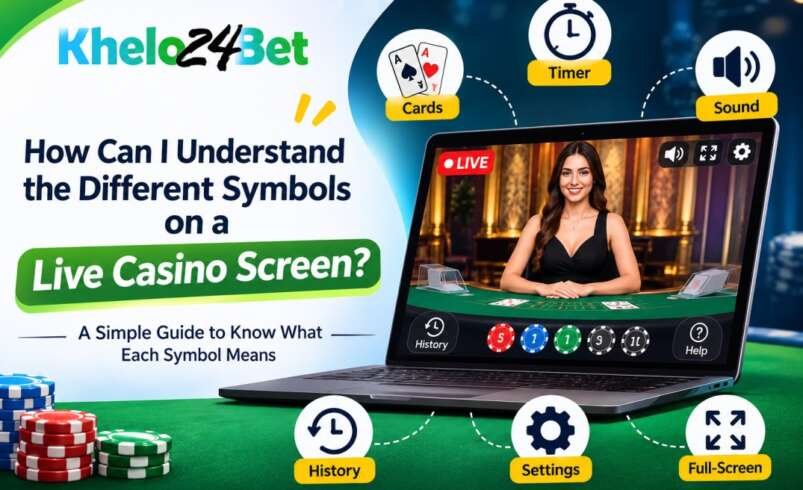

Have you ever opened a live casino game and wondered what the different symbols on the screen mean? You may see cards, chips, timers, numbers, and small icons around the table. At first, these symbols can look confusing, especially if you are new to live casino games.
However, each symbol usually has a purpose. Some show game information, while others help you understand the round or control the screen.
In this blog, we will explain some common live casino symbols and how to understand them.
1. Common Symbols You May See on a Live Casino Screen
Different live casino games can have different screen layouts. Still, some symbols appear in many games.
Here is a simple guide to help you understand them.
| Symbol or icon | What it usually means |
| Playing cards | Shows the cards used in the game |
| Timer or clock | Displays the time left before an action or round |
| Chip icon | Represents a chip or betting option |
| Speaker icon | Controls game sound |
| Full-screen icon | Makes the game screen larger |
| History icon | May show details of previous rounds |
| Settings icon | Opens available game settings |
| Help icon (?) | Provides game rules or instructions |
Remember, the exact meaning can change depending on the game and its provider. Therefore, always check the information shown on the game screen.
2. What Do the Numbers on the Screen Mean?
Numbers are another important part of a live casino screen. They may show different details depending on the game.
For example:
- Countdown numbers: These show how much time is left before a round or action begins.
- Card values: These represent the value of cards used in card games.
- Table numbers: These may help identify a particular game table.
- Round numbers: These can help users identify a specific game round.
So, do not assume that every number has the same meaning. Check the nearby label or game instructions to understand what it represents.
3. Understanding Game Status Messages
Apart from symbols, you may also notice short messages on the screen. These messages help you understand what is happening during a game.
Here are some common examples:
Waiting: The game may be preparing for the next round or waiting for an action.
Live: The game is currently being streamed.
Closed: The current round or a particular game option may no longer be available.
Loading: The game is still trying to open or update.
Disconnected: Your device may have lost its connection to the game.
For example, if you see a loading message, check your internet connection before taking further steps.
4. How Can You Understand an Unfamiliar Symbol?
Sometimes, you may come across an icon that you have never seen before. Instead of guessing its meaning, follow these simple steps.
- Look for a label: Some icons have a short description beside them.
- Check the help section: If available, open the help or information option to read about the symbol.
- Read the game rules: The rules may explain special icons and their purpose.
- Check the game provider’s instructions: Different providers may use different symbols.
- Contact support: If the meaning is still unclear, ask the platform’s official support team.
These steps can help you avoid confusion while using live casino games on platforms such as KheloExch.
5. Why Is It Important to Understand These Symbols?
Knowing what the symbols mean can make a live casino screen easier to follow. Moreover, it helps you understand game information without making unnecessary guesses.
Here are three useful benefits:
- Better understanding: You can identify timers, game status messages, and other details more easily.
- Fewer mistakes: Reading labels and instructions can help prevent confusion about available options.
- Improved screen use: You can find useful controls, such as sound and full-screen settings, more quickly.
However, remember that understanding a symbol does not replace reading the complete game rules.
Frequently Asked Questions (FAQs)
- Do all live casino games use the same symbols?
No. Some symbols are common, but their design and meaning can differ between games and providers.
- What does the timer symbol mean on a live casino screen?
It usually shows the time remaining before a round or a particular game action.
- What does the history icon mean?
It may open a record of previous rounds or game results, depending on the game.
- What should I do if I cannot understand a symbol?
Check the game’s help section and rules. If you still need help, contact official customer support.
- Can I change the sound or screen size of a live casino game?
Some games provide speaker and full-screen controls. Their availability depends on the game and device.
Final Thoughts
Live casino screens may look complicated at first, but most symbols are there to share useful information or provide simple controls. From playing cards and timers to sound and help icons, each one can make the game easier to understand.
Therefore, take a moment to read the labels and check the game instructions before using an unfamiliar option. Whether you access a live casino through KheloExch or another platform, understanding the screen is a useful first step.