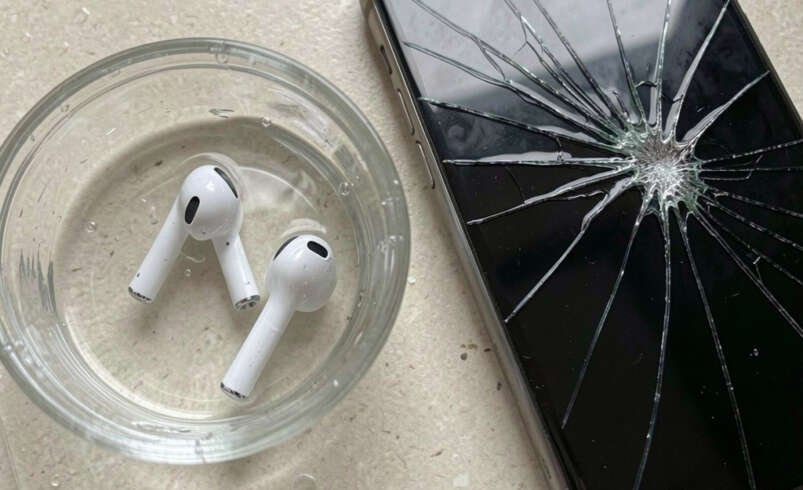

A cracked screen protector can make your phone look damaged even when the actual display is still in good condition. It can also make typing, swiping, and viewing content uncomfortable. If you recently dropped your phone and noticed cracks across the protective glass, you may be asking, “If My Screen Protector Is Cracked Should I Take It Off?”
In many situations, a heavily cracked screen protector should be removed and replaced. However, the removal process matters. Pulling, scraping, or forcing broken glass can create unnecessary risks. It is also important to determine whether the damage is limited to the protector or has reached the phone’s original screen.
This guide explains how to safely remove a cracked screen protector, when replacement is necessary, how to identify underlying screen damage, and when professional phone repair services can help.
What Is a Screen Protector?
A screen protector is an additional protective layer placed over a smartphone or tablet display. It is designed to protect the original screen from everyday scratches, minor impacts, fingerprints, and other forms of surface damage.
Common types include:
- Tempered glass screen protectors
- Plastic film protectors
- Flexible hybrid protectors
- Privacy screen protectors
- Matte screen protectors
Tempered glass is particularly popular because it provides a smooth surface and can absorb some impact before the phone’s original display is affected.
However, a screen protector is not indestructible. A strong impact can cause it to crack, chip, or separate from the display.
If My Screen Protector Is Cracked Should I Take It Off?
If you are asking, If My Screen Protector Is Cracked Should I Take It Off, there is no single answer for every situation. The severity of the damage should guide your decision.
A protector with one small crack may remain usable temporarily if it is securely attached and has no sharp edges. However, a protector with extensive cracks, loose sections, sharp edges, or lifting corners should generally be replaced.
You should also consider whether the crack is affecting touch sensitivity or visibility.
If you are uncertain whether the phone’s actual screen is damaged, professional inspection can provide reassurance before you attempt extensive DIY removal.
Why Does a Screen Protector Crack?
Understanding why the protector cracked can help you determine whether your phone needs further inspection.
Accidental Drops
A phone dropped onto concrete, tile, asphalt, or another hard surface can experience significant impact. The protector may crack while absorbing some of the force.
Pressure
Sitting on a phone, placing heavy objects over it, or squeezing it inside a crowded bag can put pressure on the display and protector.
Sharp Objects
Keys, coins, or other objects can scratch the protector. Repeated pressure on damaged areas may eventually lead to cracks.
Edge Impact
A protector can be particularly vulnerable around its edges. A drop onto a corner can create a crack that spreads across the glass.
Existing Damage
Small chips and scratches can weaken the protector. Another minor impact may cause those damaged areas to spread.
Should You Immediately Remove a Cracked Screen Protector?
Not every crack requires immediate removal.
If the crack is small and the protector remains firmly attached, you may be able to continue using the phone temporarily. However, you should monitor the damage.
Immediate replacement is more appropriate when:
- The glass is badly shattered.
- Sharp edges are exposed.
- The protector is lifting.
- Pieces are loose.
- Touch sensitivity is affected.
- Visibility is reduced.
- Dust is entering underneath.
- The protector is uncomfortable to use.
If any of these problems are present, replacing the protector can restore a smoother and safer surface.
Signs That Your Screen Protector Needs Replacement
Knowing the difference between minor damage and serious damage is useful.
Large Spiderweb Cracks
A network of cracks covering much of the screen means the protector has experienced substantial damage. It may no longer provide the same level of protection.
Chipped Corners
A chipped corner can create a rough edge that catches on your finger when you swipe.
Lifting Edges
When the protector starts separating from the display, dust and debris can get underneath it.
Sharp Sections
Severely broken tempered glass can develop sharp areas. Avoid touching these areas unnecessarily.
Poor Touch Response
If the protector is badly damaged, it may interfere with normal touchscreen interaction.
Reduced Visibility
Large cracks can reflect light and make text or images more difficult to see.
How to Safely Remove a Cracked Screen Protector
If you decide to remove the protector yourself, take your time. The goal is to remove the damaged layer without scratching the original display.
Step 1: Turn Off Your Phone
Switch the device off before beginning. This prevents accidental touches and makes the display easier to inspect.
Step 2: Wash Your Hands
Clean, dry hands give you better control over the device and reduce fingerprints on the screen.
Step 3: Inspect the Protector
Look carefully at the damaged areas. Find a corner or edge that is still intact enough to lift.
Avoid pressing directly on shattered sections.
Step 4: Find a Loose Edge
Use your fingernail to gently test an edge. If the protector has already lifted, this can provide a natural starting point.
Step 5: Lift Slowly
Once you have lifted an edge, gently pull the protector away from the display.
Do not yank it.
Step 6: Keep the Protector Flat
Try not to bend the cracked glass excessively while removing it. Excessive bending can cause additional breakage.
Step 7: Dispose of It Carefully
Place the damaged protector somewhere safe where broken pieces cannot injure someone.
Step 8: Clean the Phone Screen
Use a soft microfiber cloth to remove fingerprints, dust, and remaining adhesive.
Avoid pouring or spraying liquid directly onto the device.
Can You Remove a Cracked Protector Without Tools?
In many cases, yes.
A lightly cracked screen protector can often be lifted using a fingernail. This is preferable to using sharp tools that could scratch the phone display.
If the protector is firmly attached, however, forcing it can cause problems. Professional removal may be preferable if the glass is severely shattered or difficult to separate.
Should You Use a Razor Blade to Remove It?
Using a razor blade, knife, needle, or other sharp metal tool is generally a poor choice.
The tool can:
- Scratch the display
- Damage the phone’s edges
- Break the protector into smaller pieces
- Slip and cause injury
- Damage nearby components
The original display is valuable and can be more expensive to replace than a screen protector. There is little benefit in taking unnecessary risks during removal.
Can a Cracked Protector Damage the Phone Screen?
A cracked protector itself does not necessarily damage the display beneath it. In fact, the protector may have cracked because it absorbed an impact that could otherwise have reached the phone.
However, the impact that cracked the protector may also have damaged the actual display.
For this reason, inspect the phone after removing the protector.
Look for:
- Cracks that remain on the display
- Black spots
- Colored lines
- Flickering
- Dead pixels
- Unresponsive areas
- Ghost touches
- Display discoloration
- Brightness problems
If these symptoms remain after removing the protector, the phone may require professional screen diagnostics.
How to Tell a Cracked Protector From a Cracked Screen
This can sometimes be difficult while the protector is still installed.
A protector crack typically disappears when the protective layer is removed. The original display underneath should look smooth and function normally.
A genuine screen crack remains visible after removing the protector.
You can also test the display by opening different applications and carefully checking touch response across the entire screen.
If the phone has lines, dark spots, flickering, or areas that do not respond to touch, do not assume the protector is responsible.
What Happens if You Leave a Cracked Protector on?
Leaving a cracked protector in place for a short period is not always a serious problem. However, extensive damage can make the phone uncomfortable to use.
A badly cracked protector can:
- Reduce visibility
- Collect dust
- Develop sharp edges
- Lift further
- Reduce touch responsiveness
- Provide less effective protection
If the protector is significantly damaged, replacing it is usually more practical than continuing to use it.
Can You Put a New Protector Over the Cracked One?
No. A new protector should generally be installed directly onto a clean, undamaged display.
Putting a new protector over a cracked one can create:
- Air bubbles
- Uneven surfaces
- Poor adhesion
- Touch sensitivity problems
- Increased thickness
- Reduced protection
Remove the old protector first and clean the display before applying a replacement.
What Should You Do After Removing the Protector?
Once the cracked protector has been removed, inspect the phone carefully.
Check the Display
Look at the screen under normal lighting. Check for cracks, lines, dark areas, or discoloration.
Test Touch
Open a notes app or another application and test different areas of the display.
Check the Edges
Inspect the corners and edges for signs of impact damage.
Test the Phone Normally
Make a call, open applications, use the keyboard, and test other basic functions.
If everything works normally, the phone may only need a replacement screen protector.
When Should You Visit a Phone Repair Shop?
Professional help is recommended when the situation goes beyond a simple protector replacement.
Visit a repair shop if:
- The actual screen appears cracked.
- Touch stops working correctly.
- The display flickers.
- Black spots appear.
- The phone suffered a major impact.
- The frame is bent.
- The protector cannot be safely removed.
- You notice other device problems after the drop.
A professional technician can inspect the phone and determine whether you need screen replacement or another repair.
Why Professional Screen Inspection Can Be Useful
A cracked protector can sometimes hide damage underneath it. Removing the protector may reveal cracks or other problems that were not obvious beforehand.
A professional technician can assess:
- Display condition
- Touch functionality
- Frame condition
- Screen connections
- Signs of impact
- Additional hardware damage
This can prevent you from spending money on the wrong repair.
For example, if the phone’s display works perfectly after removing the protector, you may only need a new protective layer. If the actual display has been damaged, a technician can recommend the appropriate repair.
Choosing a New Screen Protector
Once the old protector has been removed, choosing a suitable replacement is important.
Select the Correct Model
Make sure the protector is designed for your exact phone model. Different devices can have different screen sizes, camera placements, and edge shapes.
Consider Tempered Glass
Tempered glass offers a smooth feel and strong scratch resistance. It is a popular option for everyday phone protection.
Check Case Compatibility
Some cases can push against the edges of a screen protector. A case-friendly design can help prevent lifting.
Consider Installation Quality
Poor alignment can leave dust, bubbles, or uncovered areas. Professional installation can provide a cleaner result if you are uncomfortable doing it yourself.
Does a Screen Protector Prevent Screen Cracks?
A screen protector can reduce the risk of certain types of screen damage, but it cannot guarantee that your phone will never crack.
Protection depends on several factors, including:
- Impact location
- Drop height
- Surface type
- Phone design
- Protector quality
- Case protection
A screen protector should therefore be considered one part of a broader device protection strategy.
How to Protect Your Phone After Replacing the Protector
Once you install a new protector, combine it with good handling habits.
Use a Protective Case
A durable case can help protect the phone’s corners and frame during accidental drops.
Keep Your Phone Away From Hard Objects
Do not place keys, coins, or other sharp objects directly against the display.
Avoid Excessive Pressure
Do not sit on the phone or keep it underneath heavy objects.
Keep the Screen Clean
Use a microfiber cloth to remove dirt and oils without applying unnecessary pressure.
Replace Damaged Protection
If the new protector becomes heavily scratched or cracked, replace it rather than relying on a damaged protective layer indefinitely.
Common Mistakes People Make
Several mistakes can turn a simple screen protector replacement into a bigger problem.
Pulling Too Quickly
Fast removal can cause the protector to break further.
Using Metal Tools
Metal tools can scratch the original display.
Applying Too Much Pressure
Pressing hard against the screen can potentially worsen existing damage.
Ignoring Existing Screen Problems
If the display is flickering or touch is failing, replacing the protector alone will not fix the underlying issue.
Applying a New Protector Without Cleaning
Dust and adhesive residue can create bubbles and prevent proper adhesion.
Is a Cracked Screen Protector a Reason for Screen Repair?
Not necessarily.
If only the protective layer is cracked and the phone’s original screen works perfectly, screen repair may not be necessary. A replacement protector may solve the problem.
However, if the actual display is cracked or malfunctioning, professional phone screen repair may be required.
This distinction is important because replacing an entire phone screen when only the protector is damaged would be unnecessary.
How CellularPort Can Help With Device Repairs
Sometimes a damaged screen protector is only the beginning of a larger device problem. If your phone was dropped and you are unsure whether the actual display or internal components were affected, professional diagnostics can provide a clearer answer.
CellularPort offers quick and lasting repair solutions for phones and other electronic devices. Its repair services can help customers address issues involving phones, tablets, laptops, computers, and gaming consoles.
Instead of guessing whether you need a screen replacement or another service, a professional inspection can help identify the actual problem and guide you toward an appropriate repair.
Frequently Asked Questions
Can I remove a cracked screen protector myself?
Yes, many screen protectors can be removed at home by carefully lifting an edge and slowly peeling the protector away. If it is severely shattered or difficult to remove, professional assistance may be safer.
Should I remove a screen protector if it has one crack?
Not always immediately. If the crack is small, the protector remains secure, and there are no sharp edges, you may temporarily continue using it. However, replacement is recommended when damage becomes extensive.
Is a cracked tempered glass protector still useful?
It may provide some protection, but its effectiveness can be reduced after significant damage. A severely cracked protector should generally be replaced.
Can a cracked protector scratch my phone screen?
Loose or broken pieces can potentially create problems, particularly if debris becomes trapped between the protector and display. Careful removal is the safest approach.
What if my screen is cracked underneath the protector?
If the actual display is cracked, replacing the protector will not repair it. A professional phone repair technician can inspect the device and recommend the appropriate solution.
Can I install a new screen protector myself?
Yes. If you are comfortable with precise alignment and cleaning, you can install one yourself. Professional installation can be useful if you want to minimize dust, bubbles, or alignment problems.
Final Thoughts
So, If My Screen Protector Is Cracked Should I Take It Off carefully? In many cases, yes—particularly when the protector is heavily cracked, sharp, loose, or interfering with normal phone use. However, safe removal is more important than simply getting the damaged protector off quickly.
Avoid knives, razors, needles, and excessive force. Instead, carefully lift an intact edge and slowly peel the protector away. After removal, inspect the actual display and test the touchscreen.
If the phone screen underneath is intact, installing a quality replacement protector may be all that is needed. But if you discover cracks, display problems, touch issues, or other damage, professional phone repair can help determine the right solution.
For dependable assistance with phones, tablets, laptops, computers, and consoles, CellularPort provides repair services focused on quick and lasting solutions at an affordable price. When a cracked protector leaves you unsure about the condition of your device, professional inspection can help you protect your investment and avoid unnecessary repairs.