

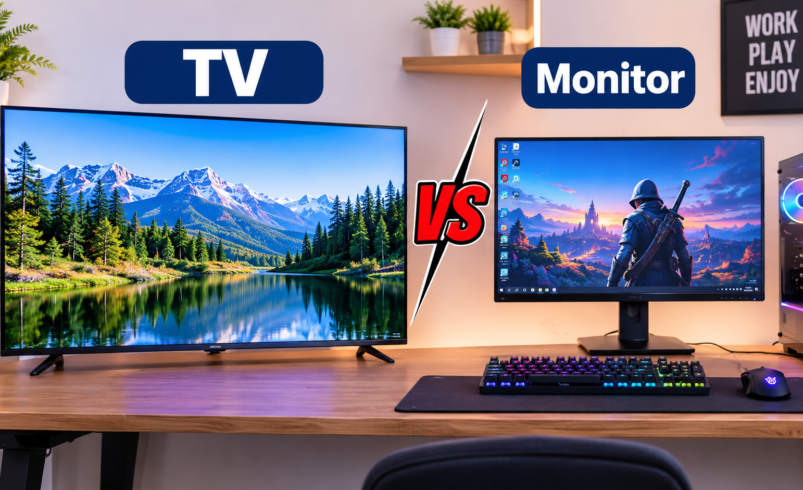

Choosing between a television and a computer monitor can be confusing, especially when you want a display for both work and gaming. Modern televisions offer large screens and impressive picture quality, while computer monitors are designed to provide comfortable viewing and responsive performance. Understanding their differences can help you select the right option for your needs.
Many people consider using a tv as pc monitor because televisions are widely available in different sizes and price ranges. However, before connecting a TV to your computer, it is important to understand its benefits, limitations, and performance compared with a traditional monitor.
Understanding the Difference Between a TV and a Computer Monitor
A television and a computer monitor may look similar, but they are designed for different purposes.
Televisions are mainly developed for watching movies, streaming content, and enjoying entertainment from a distance. They usually have larger screens and built-in speakers, making them suitable for family entertainment.
Computer monitors are specifically designed for desktop computers and laptops. They focus on displaying text, images, applications, and games with clear details. Many monitors also offer higher refresh rates and lower input lag, which can improve the overall computer experience.
Your choice should depend on how you plan to use the display.
Screen Size and Viewing Experience
Screen size is one of the biggest differences between televisions and monitors.
Most computer monitors range from 21 to 32 inches, while televisions are available in much larger sizes. A bigger television can provide an enjoyable experience when watching videos, playing games, or viewing content with friends.
However, a large screen is not always better for desktop work. Sitting too close to a television may require frequent head movements, especially when the screen is very large.
Monitors are generally designed for shorter viewing distances. Their sizes make it easier to see the entire display without moving your head frequently.
If you have a small desk, a 24-inch or 27-inch monitor may be more practical than a large television.
Picture Quality and Resolution
Picture quality plays an important role when selecting a display for everyday computer use.
Both televisions and monitors are available with Full HD, 4K, and other resolutions. A 4K television can display detailed images, making it useful for watching high-quality videos and enjoying visually impressive games.
However, resolution alone does not determine display quality. Pixel density is equally important. Pixel density refers to how closely pixels are positioned on a screen.
A smaller monitor with 4K resolution can provide sharper text than a much larger television with the same resolution because its pixels are packed more closely together.
For reading documents, browsing websites, and working with spreadsheets, clear text is especially important.
Refresh Rate and Gaming Performance
Refresh rate measures how many times a display updates its image every second. It is measured in Hertz (Hz).
A standard 60Hz display refreshes its image 60 times per second. Gaming monitors often offer 120Hz, 144Hz, 165Hz, or even higher refresh rates.
Many modern televisions also support 120Hz refresh rates, making them suitable for gaming with compatible gaming consoles and computers.
A higher refresh rate can make fast-moving scenes appear smoother. This is particularly helpful in racing games, sports games, and competitive shooting games.
However, you should also consider response time and input lag. These factors affect how quickly the display responds to your computer’s actions.
For competitive gaming, a dedicated gaming monitor is often the better choice.
Using a TV for Office Work and Productivity
Televisions can also work as computer displays for office tasks. You can connect a laptop or desktop computer to a television using an HDMI cable and use it for presentations, online meetings, and basic office activities.
A large screen can be helpful when viewing presentations or sharing information with other people.
However, using a television for extended office work may not always be comfortable. Some televisions have image processing features that can make text appear less sharp.
To improve the experience, enable PC Mode or Game Mode if your television supports these settings. You should also select the correct resolution and adjust the display scaling.
For regular typing, programming, and spreadsheet work, a computer monitor usually provides a more comfortable experience.
Connectivity and Compatibility
Connectivity is another important factor to consider.
Most modern televisions and computer monitors support HDMI connections. This makes connecting a computer to either display relatively simple.
Before purchasing a television for computer use, check whether it supports the resolution and refresh rate required by your computer.
Some computers also support DisplayPort, USB-C, or other video connections. In these situations, you may need a compatible adapter.
It is also important to check the available HDMI ports, especially if you plan to connect gaming consoles, streaming devices, and computers to the same television.
Advantages of Using a TV Instead of a Monitor
Using a television as a computer display offers several advantages.
First, televisions usually provide larger screen sizes at different price points. This can be useful for entertainment and casual computer activities.
Second, many televisions include built-in speakers, reducing the need for separate audio equipment.
Third, a television can serve multiple purposes. You can connect it to a computer, watch streaming services, and enjoy console gaming using the same screen.
These benefits make televisions a practical option for people who want an entertainment-focused display.
Disadvantages of Using a TV as a PC Monitor
Despite their advantages, televisions also have some limitations.
Large screens may require more desk space and a greater viewing distance. Some televisions also have higher input lag than dedicated computer monitors.
Another concern is text clarity. If a television has low pixel density or unsuitable display settings, small text may look blurry.
Additionally, some televisions have limited refresh rate support when connected to computers.
These disadvantages do not mean televisions cannot be used with PCs. They simply mean you should check the specifications before making a decision.
Which Is Better for Work and Gaming?
The better option depends on your priorities.
If you mainly perform office tasks, browse websites, attend online classes, or write documents, a computer monitor is generally the more practical choice.
If you enjoy watching movies, playing casual games, and using a large screen for entertainment, a television may offer greater flexibility.
For serious gaming, compare refresh rate, response time, input lag, resolution, and support for variable refresh rate technology before purchasing either option.
A modern gaming television can perform very well, but dedicated gaming monitors often provide more options for competitive players.
Final Thoughts
Both televisions and computer monitors can provide excellent display experiences when selected according to your requirements. Televisions offer larger screens and entertainment features, while monitors provide practical sizes and features designed for everyday computer activities.
Before making a purchase, consider your budget, available space, viewing distance, and intended use. Checking resolution, refresh rate, connectivity, and text clarity will help you make a more informed decision.
Ultimately, the best display is the one that provides comfortable viewing and reliable performance for your daily activities.